5 Top WordPress Hosting Themes (2026)

Your hosting website is where customers compare plans, search for domains and sign up. If the WordPress theme behind it is outdated or poorly connected to your billing system, you can lose sales before a customer even reaches checkout.
Choosing the right WordPress hosting theme is harder than it looks. Many popular options haven’t been updated in years, and some sold as WordPress themes are actually HTML templates.
To find the ones worth using, more than 20 WordPress web hosting themes were reviewed against five criteria: recent updates, WordPress compatibility, buyer reviews, security record and WHMCS integration. Only five passed.
TL;DR: Best WordPress Hosting Themes
- Hostiko: Best overall for flexibility and WHMCS integration.
- Phox: Best for Elementor customisation.
- MaxHost: Best for WHMCS integration without a bridge plugin.
- Hostim: Best budget option at US$39.
- Hostie: Best for modern design and ready-made layouts.
Our pick: Hostiko for most hosting businesses, or MaxHost if WHMCS integration is your priority.
Best WordPress Hosting Themes: Quick Comparison
The best WordPress hosting theme depends on how you want to design your website and connect it to your billing system. Compare their customer ratings, recent updates and WHMCS features below.
| Theme | Best for | Last updated | Rating | WHMCS support |
|---|---|---|---|---|
| Hostiko | Best overall | August 2026 | 4.31/5 (318 reviews) | Automatic product import, client-area widgets and WHMCS 8.13 support |
| Phox | Customisation | October 2026 | 4.66/5 (61 reviews) | WHMCS Bridge, templates, menu manager and page manager |
| MaxHost | WHMCS integration | August 2026 | 4.69/5 (48 reviews) | WHMCS 9.0 and 8.x templates; no bridge plugin required |
| Hostim | Budget option | May 2026 | 3.97/5 (38 reviews) | WHMCS 9.0.3 templates, order forms and domain checker |
| Hostie | Modern design | June 2026 | 4.51/5 (39 reviews) | Matching templates, dynamic pricing and product display features |
What to Look for in a WordPress Hosting Theme
A hosting website needs more than an attractive design. Customers should be able to compare plans, search for a domain and reach checkout without confusion. Check these six things before you buy.
1. WHMCS integration
WHMCS is the billing software many hosting companies use for orders and invoices. Some themes connect to it through a bridge plugin. Others include matching WHMCS templates, so there’s one less plugin to maintain. WHMCS needs its own licence either way, so check the theme supports your WHMCS version.
2. Domain search and pricing tables
Look for a domain search form and clear pricing tables that stay readable on mobile. Ready-made page layouts for each hosting type, such as shared, VPS and reseller, save setup time.
3. Page builder
Most hosting themes are classic themes built around Elementor or WPBakery, not block themes for full site editing. Choose one that works with the drag-and-drop builder your team already uses.
4. Updates and compatibility
Check the last update date, the changelog and the supported WordPress, PHP and WHMCS versions. A theme not updated in over a year is a risk. Even a recent update doesn’t guarantee compatibility, so test on a staging site before going live.
If you’d rather leave the technical upkeep to a specialist, check out our managed WordPress hosting services.
5. Security and performance
Search the theme’s name in a vulnerability database such as Patchstack, and confirm any issues were patched. Test the mobile demo’s speed too, particularly on pages with sliders and animations.
6. Support and licence terms
ThemeForest themes include six months of support. It covers the theme only, not WHMCS setup or custom development. A Regular licence covers one end product.
For Australian hosting companies: test the full customer journey, from a .com.au domain search to AUD prices with GST and checkout. These depend on your billing system and its integration, not just the theme.
5 Top WordPress Web Hosting Themes
Each theme has different strengths, whether you need flexible design options, straightforward WHMCS integration or an affordable starting point.
We compared their features, compatibility, customer feedback and limitations to help you decide which one suits your hosting business.
1. Hostiko – Best Overall
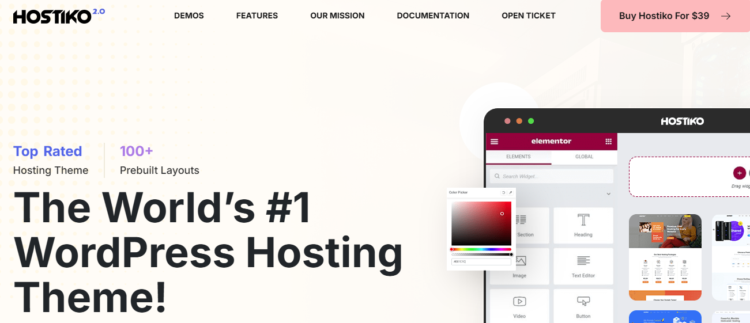
Hostiko is the best-selling theme on this list, with nearly 8,000 sales on ThemeForest. It supports Elementor, WPBakery and the WordPress block editor, so your team can keep using the tools it already knows, and it pulls your hosting products straight from WHMCS. It suits hosting companies that want a proven, all-round theme.
| Feature | Details |
|---|---|
| Last updated | August 2026 |
| WordPress compatibility | Up to WordPress 7.0 |
| Sales and rating | 7,936 sales, 4.31/5 (318 reviews) |
| Page builders | Elementor, WPBakery and the block editor |
| WHMCS | Automatic product import, client-area widgets and WHMCS 8.13 support |
| Price | US$49 |
Strengths

Slow website wasting your marketing spend?
- Uncover performance issues
- Identify SEO opportunities
- Security gaps, and quick wins
- The largest sales and review base of any hosting theme we checked
- WHMCS add-ons for matching menus, layouts and logos
- Known security issues have been patched, most recently in a March 2026 security update
Limitations
- Buyers say the demo content importer can be fragile, so run it on a clean staging site
- Some find it hard to customise beyond the demo layouts
Our verdict
Hostiko is the most proven choice for hosting companies that want ready-made layouts and flexible page builder options. Start with the demo closest to your needs, and keep the theme updated.
2. Phox – Best for Customisation
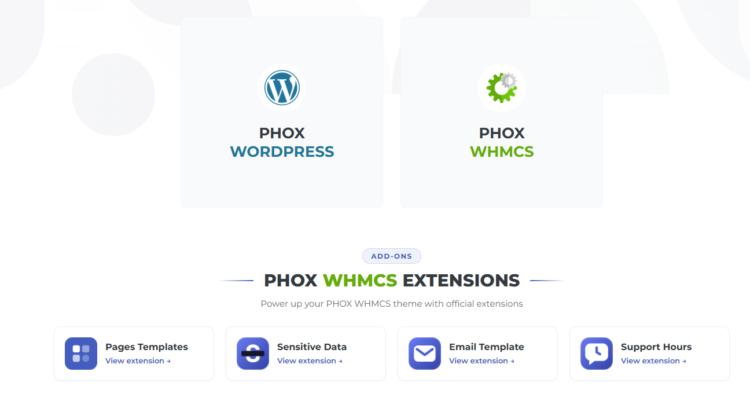
Phox, from WHMCSdes, is built entirely around the Elementor page builder. According to the developer, it includes its own header, footer, mega menu and popup builders, so you can design most of the site without Elementor Pro. It’s also the most recently updated theme on this list.
| Feature | Details |
|---|---|
| Last updated | October 2026 |
| WordPress compatibility | Up to WordPress 6.9 |
| Sales and rating | 2,688 sales, 4.66/5 (61 reviews) |
| Page builder | Elementor, compatible with Elementor Pro |
| WHMCS | Bridge, templates, menu manager and page manager |
| Price | US$59 |
Strengths
- A high rating backed by more than 2,600 sales
- A wide set of WHMCS tools for matching your billing pages to your site
- Buyers consistently praise the design
Limitations
- Elementor only, so it’s not a fit for teams using another builder
- Some recent buyers report slow licence activation
Our verdict
Phox suits hosting businesses that regularly update campaigns and landing pages in Elementor. Keep its companion Phox Hosting plugin updated too, since a security issue was fixed in version 2.0.9.
3. MaxHost – Best for WHMCS Integration
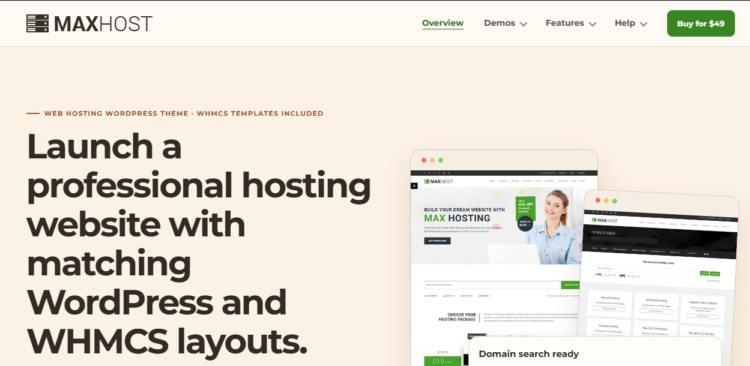
MaxHost, from Fluent-Themes, takes a different approach to WHMCS. Instead of a bridge plugin, it provides templates you install directly in WHMCS, so your client area matches your WordPress site with one less plugin to maintain.
| Feature | Details |
|---|---|
| Last updated | August 2026 |
| WordPress compatibility | Up to WordPress 7.0 (the developer states 7.1) |
| Sales and rating | 1,257 sales, 4.69/5 (48 reviews) |
| Page builders | Elementor (works with the free version) and WPBakery |
| WHMCS | Templates for WHMCS 9.0 and 8.x, with no bridge plugin needed |
| Price | US$49 |
Strengths
- The highest customer rating on this list
- Recent updates added PHP 8.4 and WHMCS 9.0 compatibility, alongside updated WooCommerce support for businesses selling additional products
- A live client-area demo lets you explore the WHMCS design before buying
Limitations
- No buyer reviews in the past two years
- Older reviews mention low page speed scores and needing custom CSS for some design changes
Our verdict
MaxHost is worth considering if WHMCS is already central to how you run your hosting business. Test its page speed on your own hosting before launch.
4. Hostim – Best Budget Option
Hostim is the most affordable theme on this list, at US$39. It’s built on Elementor, with a template library for setting up homepages and service pages quickly. It suits smaller hosting businesses that are comfortable handling WHMCS setup themselves.
| Feature | Details |
|---|---|
| Last updated | May 2026 |
| WordPress compatibility | Up to WordPress 6.8 |
| Sales and rating | 753 sales, 3.97/5 (38 reviews) |
| Page builder | Elementor, with a template library |
| WHMCS | Template and order form, supporting WHMCS 9.0.3, plus a domain checker |
| Price | US$39 |
Strengths
- The lowest price on this list
- Includes templates for WHMCS 9.0.3
- WHMCS designs in both dark and light modes
Limitations
- The lowest rating on this list, with some buyers reporting WHMCS setup problems and slow support
- WordPress compatibility is listed only up to 6.8
Our verdict
Hostim is a practical starting point for budget-conscious hosting providers that can manage WHMCS in-house. Test the WHMCS connection on a staging site before going live.
5. Hostie – Best for Modern Design
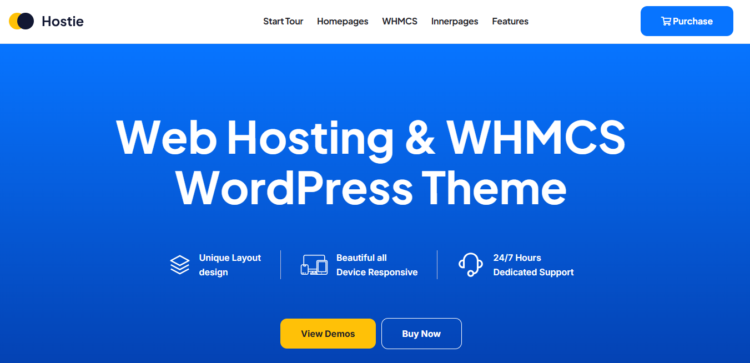
Hostie, from Reacthemes, is a good option for hosting companies that want a modern website without extensive design work.
Built around Elementor, it includes ready-made hosting layouts, over 50 inner pages and domain search features. Recent updates have also added WHMCS product displays and dynamic pricing.
| Feature | Details |
|---|---|
| Last updated | June 2026 |
| WordPress compatibility | Up to WordPress 7.0 |
| Sales and rating | 492 sales, 4.51/5 (39 reviews) |
| Page builder | Elementor |
| WHMCS | Matching templates, dynamic pricing and product display features |
| Price | US$59 |
Strengths
- Over 50 ready-made inner pages, reducing the need to build layouts from scratch
- WHMCS product display and dynamic pricing features added in March 2026
- Regular updates in 2026, including fixes to pricing, licensing and bundled plugins
Limitations
- Some recent reviews report WHMCS connection problems and slow loading
- A smaller sales and review history than most of the other shortlisted themes
Our verdict
Hostie suits hosting businesses that prioritise modern design and want to launch with ready-made pages. Test its dynamic pricing and WHMCS features against your existing billing setup before going live.
How We Chose These Themes
A high rating alone doesn’t make a hosting theme worth buying. Some themes haven’t been updated in years, while others are HTML templates rather than WordPress themes.
We shortlisted five themes based on the following criteria:
| Criteria | What We Checked |
|---|---|
| Recent updates | At least one update published in 2026. |
| WordPress compatibility | Listed compatibility with WordPress 6.8 or later. |
| Proven track record | At least 300 sales and 30 customer reviews, including feedback about bugs and support. |
| Security record | Known vulnerabilities reported through Patchstack and whether fixes are available. |
| WHMCS integration | WHMCS templates or bridge support for connecting the website to a billing system. |
Other WordPress Hosting Themes We Considered
Several well-known hosting themes didn’t make the final five. Most were left out for one reason: they’re no longer actively maintained.
| Theme | Why it was left out |
|---|---|
| Hostinza | Built on the Unyson framework. WordPress.org closed the Unyson plugin in October 2023 over a security issue |
| Multi Host | Last updated in December 2025, and most buyer reviews are from before 2022 |
| ZionHost | Well rated, but no update since May 2025 |
| Hoskia | Last changelog entry in June 2025, with only 8 buyer reviews |
| Hostingo | Well rated, but no update since May 2024 |
| HostCluster, Hosted, HostCloud, HostingPress | No updates since 2024 or earlier. HostingPress was last updated in 2018 |
| MegaHost, Hostify, Flat Host | HTML templates, not WordPress themes |
| Alaska | No update date shown on its listing, and buyers report slow support responses |
Does Your WordPress Theme Affect Hosting Performance?
Yes, but it’s only half the picture. Your theme controls how heavy each page is, while your hosting controls how quickly your server responds.
Large sliders, animations and bundled plugins add code that every visitor has to load, which can drag down your Core Web Vitals, particularly on mobile. Server response time affects Largest Contentful Paint (LCP), one of the Core Web Vitals, and a fast WordPress theme can’t make up for slow hosting. Even a lightweight theme will feel sluggish on an overloaded server.
To keep a hosting theme fast:
- Use only the demo pages and plugins you need
- Compress images, and limit sliders and animations
- Add caching, either at server level or through a caching plugin
- Test key pages in Google PageSpeed Insights before and after launch
Your website also needs fast, well-maintained hosting, whether that’s your own infrastructure or managed WordPress hosting. To compare providers with Australian data centres, see our guide to the best WordPress hosting in Australia.
Final Thoughts
A theme’s demo shows you how a site looks on launch day. What matters more is what happens afterwards: how well the theme is maintained, how reliably it connects to your billing system and how easily your team can update it.
Choose based on what matters most to your business:
- Want a proven all-rounder? Start with Hostiko.
- Regularly updating pages in Elementor? Phox gives you detailed design control.
- Running everything through WHMCS? MaxHost connects without a bridge plugin.
- Keeping costs down? Hostim has the lowest upfront price.
- Prioritising a modern look? Hostie combines modern layouts with WHMCS pricing features.
Whichever you pick, test it with your WHMCS setup on a staging site before launch, and keep it updated afterwards.
Need help building or customising your hosting website? Our team offers WordPress web design, custom WordPress development and ongoing WordPress maintenance, so you can focus on selling hosting. Talk to our team.
WordPress Hosting Theme FAQs
What is a WordPress hosting theme?
A WordPress hosting theme is designed for web hosting companies, domain registrars and hosting resellers. The best WordPress themes for hosting businesses include hosting-specific layouts, such as pricing tables, domain search forms and plan comparison pages, and connect to billing software like WHMCS. Unlike a multipurpose theme, it’s built to sell hosting plans from day one.
Do I need WHMCS for a hosting website?
Not to promote your hosting plans, but you’ll need billing software if customers are going to buy hosting, pay invoices and manage their accounts. Most hosting themes are built around WHMCS, which makes it the easiest option if you’re starting fresh. WHMCS is sold separately, with its own licence, so check that the theme supports your version before you buy.
How much does a WordPress hosting theme cost?
Free hosting themes are available in the official WordPress directory, but most premium hosting themes on ThemeForest cost about US$30 to US$70 for a Regular licence, with a few priced higher. That’s a one-off payment, and it includes six months of developer support, with longer support available at extra cost. Budget separately for your WHMCS licence, any paid add-ons and hosting.
Can I use a free theme for a web hosting company?
You can, but free WordPress themes rarely include what a hosting business needs, such as WHMCS integration, domain search and hosting pricing tables. The free hosting themes we checked in the official WordPress directory each had few installs and reviews.
Even the default WordPress theme can work, but you’d need custom code or plugins to add billing features. For general business websites, see our guide to the best free WordPress themes.
Can I use a multipurpose theme like Astra instead?
Yes, if design matters more than billing integration. Popular WordPress themes such as the Astra theme work with major page builders like Elementor and Beaver Builder, and offer large libraries of starter templates.
However, they don’t include WHMCS templates or domain search, and you’d need to build hosting pricing tables yourself. Plan how you’ll connect your billing system before you choose one.
What’s the difference between a WordPress theme and an HTML template?
A WordPress theme runs inside WordPress, so you can edit pages, add plugins and manage content from the WordPress dashboard. An HTML template is a set of static files with no WordPress backend, so updating it usually means editing code.
Several “hosting themes” sold online, such as MegaHost and Flat Host, are HTML templates, so check the marketplace category before you buy.
How do I install and set up a WordPress hosting theme?
Once you’ve installed WordPress, download the “Installable WordPress file only” from ThemeForest. Upload it in your WordPress dashboard under Appearance > Themes > Add New Theme > Upload Theme, then activate it. Most premium themes then prompt you to install their essential plugins and import demo content in just a few clicks.
From there, set up your hosting plans, domain search and WHMCS connection using the developer’s instructions. Do all of this on a staging site first, as demo imports can overwrite existing content.
How do I keep a WordPress hosting theme secure?
Keep the theme, its bundled plugins and WordPress core updated, and only download updates from the official marketplace, never from free “nulled” copies.
Check the theme’s name in a vulnerability database such as Patchstack, remove plugins you don’t use, and back up your site before every update. Themes don’t include firewalls or malware scanning, so those protections need to come from your hosting and security plugins.

Get Your Free Website Audit
($3,000 Value)
- Uncover performance issues
- Identify SEO opportunities
- Security gaps, and quick wins