A Year of Website Incidents

Get Your Free Website Audit
($3,000 Value)
- Uncover performance issues
- Identify SEO opportunities
- Security gaps, and quick wins
Table of Contents
- What we caught across 65 WordPress sites in 12 months, 145+ problems, and what each would have cost if no one was watching.
- Key takeaways
- What the incidents actually were
- 1. Security threats we blocked (33 incidents)
- 2. Downtime we caught and resolved (37 incidents)
- 3. Backups that saved a site (6 incidents)
- 4. The quiet near-misses (about 59 incidents)
- 5. Performance regressions we reversed (9 incidents)
- 6. Update breakages we caught before they went live (3 logged)
- Summary: a year of incidents at a glance
- How we put this together (method)
- Conclusion
What we caught across 65 WordPress sites in 12 months, 145+ problems, and what each would have cost if no one was watching.
During a routine security check on an independent school’s website, we found nearly 100 executable PHP files sitting in the folder meant only for images. Files that should never run, in a place they should never be. Left alone, that’s an open door, and eventually someone walks through it. We cleared them out and hardened the site. The school never had an incident, and never knew how close it came.
That’s the catch with website maintenance: when it works, nothing happens, and “nothing happened” feels exactly like “nothing was ever going to.” It isn’t. It’s someone watching.
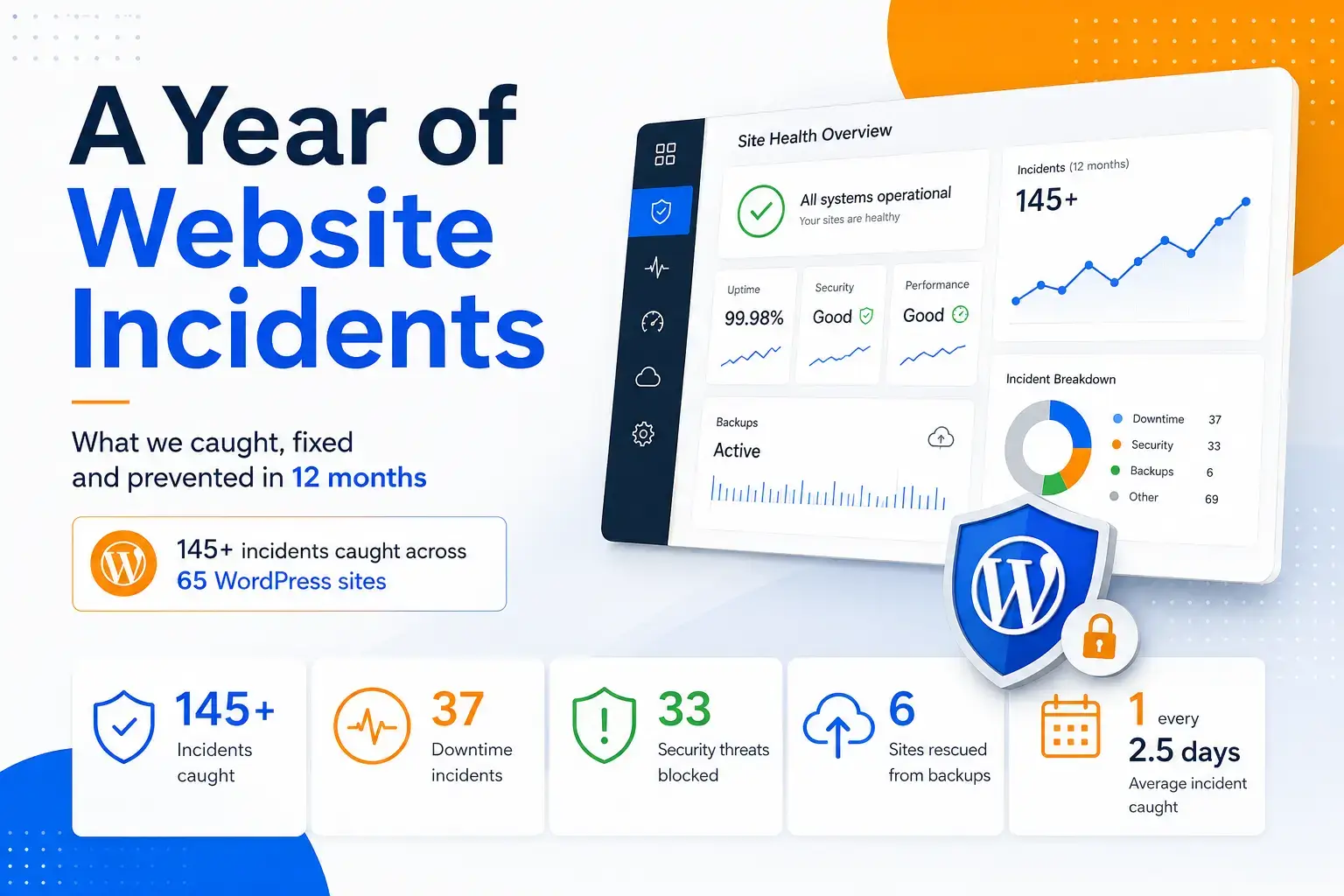
So we counted. Across roughly 65 WordPress sites on our care plan, we logged and resolved more than 145 incidents in the last 12 months. Here’s what they were, how often they happened, and what each would have cost if no one had been watching.
Key takeaways
- Across ~65 WordPress sites on our care plan, we caught and resolved more than 145 incidents in 12 months.
- About 3 in 4 of those sites had at least one incident we caught before it became the client’s problem.
- That’s a website incident caught, on average, roughly every 2.5 days.
- The most common incident leaves no error message at all: a broken checkout, form or payment quietly losing sales. We caught about 59 of them.
- We blocked 33 security threats and resolved 37 episodes of downtime, most before the client noticed.
- 6 sites were rescued from backup after a failure or compromise. Without a working backup, each one would have meant a rebuild.
What the incidents actually were
1. Security threats we blocked (33 incidents)
Security is what most people picture when they imagine a website going wrong, and it made up a third of everything we dealt with: 33 incidents across about 20 sites. They ranged from everyday spam and brute-force attempts to malware cleanups, urgent plugin vulnerabilities patched before they could be exploited, and a couple of genuinely serious compromises.
What we were up against
One Sydney technology company’s site started showing signs of compromise. A multi-site community organisation had its hosting control panel breached. Behind both sat the constant background noise: spam waves, brute-force attempts, and vulnerable plugins flagged for patching across the base.
How we handled it
On the compromised site we audited the theme for injected code and backdoors, stripped out disallowed plugins on a staging copy, ran a full malware cleanup, and only brought it back once a clean scan confirmed it. The control-panel breach we contained and rebuilt securely. Most of the work, though, is quieter and constant: firewall rules, two-factor, patching, and blocking malicious IPs and bots before they ever get a foothold.
What it would have cost
Miss it and you’re looking at $1,500 to $5,000 or more in emergency remediation, and that’s the cheap part. A hacked site can be blocklisted by Google and lose almost all its organic traffic overnight, with legal and trust costs that dwarf the cleanup.
2. Downtime we caught and resolved (37 incidents)
Servers fall over, updates misfire, traffic spikes, and a site that was fine an hour ago starts returning errors. We logged 37 of these across about 22 sites. What proactive monitoring changes is simple but decisive. We usually knew, and had started fixing it, before the client noticed.
What happened
A chemical manufacturer’s site dropped offline in mid-January. A national not-for-profit hit a 502 error that took the whole site down. A community broadcaster lost both its website and its TV apps after a bad WordPress update.
How we handled it
Monitoring flagged the manufacturer’s outage before anyone called, and DevOps had it back the same day, in about nine hours. The 502 we traced to tracking-parameter URLs slipping past the cache and forcing every visit through the database, made worse by bot traffic; new cache and firewall rules fixed it and left the site faster than before. The broadcaster’s site and apps we restored from a clean state. Most “site down” tickets opened and closed inside a single day, several within hours.
What it would have cost
Undetected, the same outage runs for as long as it takes someone to notice and call. For a store turning over $10,000 a day, that’s roughly $400 an hour in lost sales, before you count wasted ad spend or damaged trust.
3. Backups that saved a site (6 incidents)
A backup is the safety net you hope never to use, and the one thing that can’t be improvised when you do. Six times this year, a working, tested backup was the only thing standing between a client and disaster.
What happened
A national not-for-profit running eight separate websites needed a full recovery. On another site, a chunk of content vanished after a botched restore. On a third, an environment broke badly enough to need rolling right back.
How we handled it
We restored all eight sites from managed backups onto new hosting, rebuilt the missing content from backup on the second, and pulled a clean production backup to recover the third. None of it is possible without backups that run automatically, live off the server, and are tested so they actually work when it counts.
What it would have cost
Without a working backup, you’re rebuilding from scratch: $10,000 to $50,000 or more, weeks offline, and any content you didn’t back up is simply gone.
4. The quiet near-misses (about 59 incidents)
This was the biggest category and the most dangerous, precisely because none of it looks like a problem. A checkout that fails at the final step, a contact form that silently stops sending, an expired certificate, a payment option that quietly drops out. The site looks completely fine while it stops making money. At around 59 incidents across about 25 sites, roughly 40% of everything we caught, it was by far the most common thing we found.
What happened
An online homewares store where customers simply couldn’t complete checkout. A luxury jeweller whose Afterpay had stopped working right at the end of the purchase. A paediatric dental practice whose online patient referrals weren’t coming through at all. A high-traffic retailer whose SSL certificate had quietly expired.
How we handled it
We repaired the checkout, fixed the Afterpay integration, restored the referral form’s delivery, and renewed the certificate before a single shopper hit a “Not secure” warning. Catching any of this depends on routinely testing the things that quietly break, transactions, forms, payments, certificates and links, because the business itself won’t notice until it’s staring at an unexplained dip in sales.
What it would have cost
Each one can cost anywhere from $1,000 to well over $10,000, and often more, because a silent failure can run for days or weeks. For a legal, health or trades business, a single missed enquiry can be worth thousands on its own.

Slow website wasting your marketing spend?
- Uncover performance issues
- Identify SEO opportunities
- Security gaps, and quick wins
5. Performance regressions we reversed (9 incidents)
Websites rarely slow down all at once. It creeps, a little more weight here, a heavier query there, until pages drag and, left long enough, fall over completely. Nine times this year we caught a site sliding and pulled it back before it tipped into downtime.
What happened
A luxury jeweller’s site began timing out under load. An online store slowed badly under everyday traffic, heading towards lost sales.
How we handled it
We diagnosed and resolved the jeweller’s speed issues the same day, and traced and fixed the store’s slowdown before it cost a sale. The pattern is always the same: monitor for creeping load times, then recover the speed with caching, server tuning and targeted code fixes.
What it would have cost
The cost of ignoring it is quieter than an outage but adds up faster: a sustained slowdown can shave 5 to 20% off conversions and drag down search rankings, costing far more over a few months than the fix ever would.
6. Update breakages we caught before they went live (3 logged)
WordPress, its plugins and its themes update constantly, and any one of those updates can break a live site. Only three of these reached our incident log all year, and that is exactly the point: every one of our ~65 sites updates on a staging copy first, so a breaking change is found and fixed there, and the live site visitors see never changes.
What happened
A SaaS client’s page builder broke after a plugin update. A separate deployment stalled part-way through its release.
How we handled it
We caught the page-builder break on staging and fixed it before it ever went live, and resolved the stalled deployment before it reached production. Because the work happens on a copy first, the public site simply carried on.
What it would have cost
Ship a broken update straight to a live site and you’re looking at $500 to $5,000 in lost trade and emergency dev time, plus an SEO hit if Google happens to crawl the site mid-break.
Summary: a year of incidents at a glance
| Incident category | How often (12 months) | Typical cost if missed (estimate) |
| Quiet near-misses (checkout, forms, payments, SSL, 404) | ~59 | $1,000–$10,000+ per incident, often ongoing |
| Downtime caught and resolved | 37 | ~$400+/hour for a $10k/day store |
| Security threats blocked | 33 | $1,500–$5,000+ plus blocklisting and trust damage |
| Performance regressions reversed | 9 | 5–20% conversion erosion over months |
| Backups that saved a site | 6 | $10,000–$50,000+ rebuild, weeks offline |
| Update breakages caught in staging | 3 logged (standard on all sites) | $500–$5,000 per event |
| Total | more than 145 | — |
How we put this together (method)
This data comes from our own client records: every care-plan client list across roughly 65 WordPress sites, reviewed for the 12 months from 1 July 2025 to 29 June 2026. We counted every incident logged and resolved in that window and sorted it into the six categories above.
A few honest notes. The number, more than 145, is a conservative floor. Our records cap at a certain number of items per client, so some older incidents from the back half of the year aren’t included, and recurring issues were counted once. It also only counts incidents that became a logged task; the daily automated saves, blocked attack attempts, uptime checks and routine nightly backups, happen in the background and never become a ticket, so the true number of things prevented is far higher.
The cost-if-missed figures are estimates based on the stated assumptions (lost trade per hour of downtime, typical remediation and rebuild costs, conversion impact), not figures pulled from any single client’s books. Every example is a real incident; we’ve changed nothing except the client’s identity.
Conclusion
If your website “seems fine,” that’s worth a second look, because fine is usually what a problem looks like right up until it isn’t. We’ll tell you exactly what’s quietly at risk on your site and keep it watched. Start with a free WordPress audit, or see what our Website Care Plan actually covers.

Get Your Free Website Audit
($3,000 Value)
- Uncover performance issues
- Identify SEO opportunities
- Security gaps, and quick wins